Open Settings → Mesh → FIPS Mesh → Advanced. Most people never need to change these. Changes apply the next time the mesh starts.
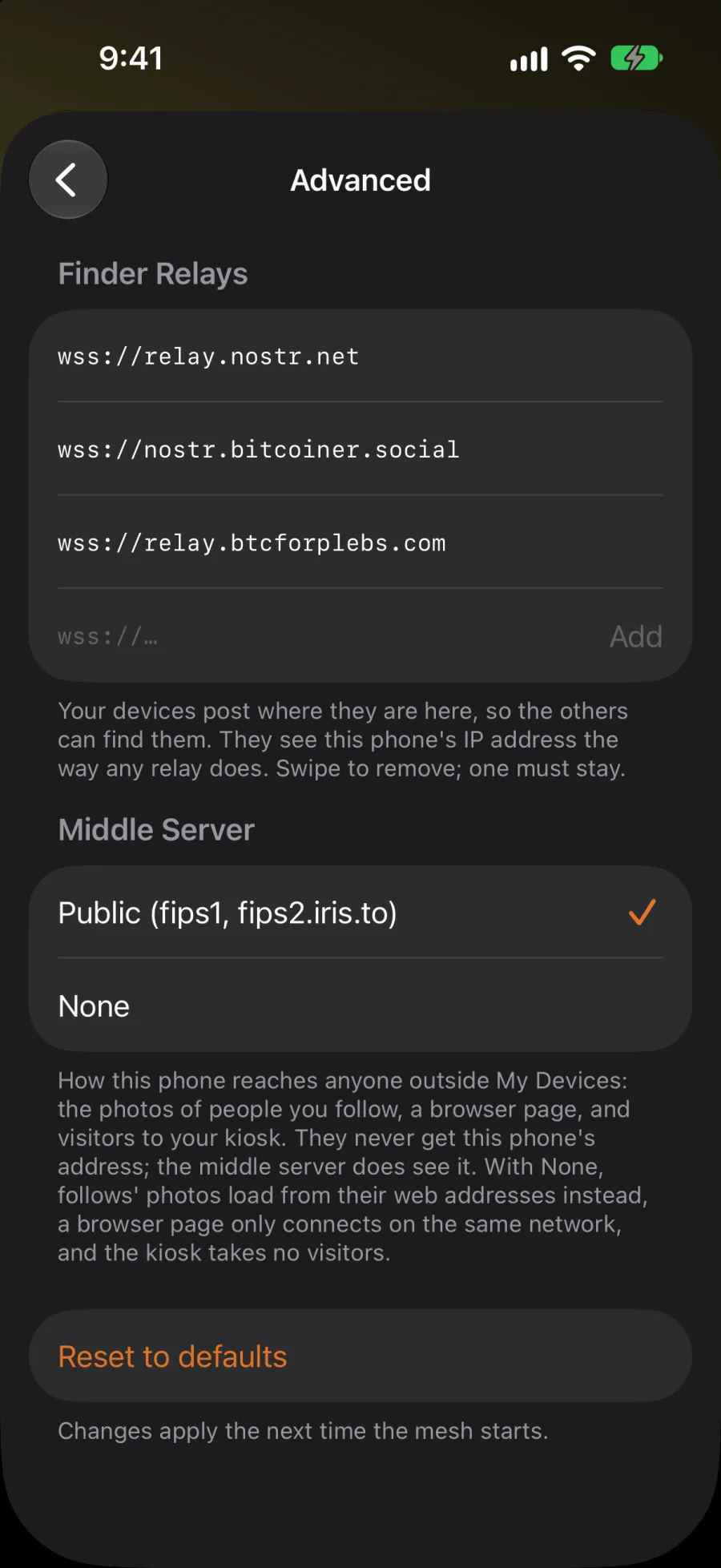
Finder Relays
Your devices post where they are on these relays, so your other devices can find them. Like any relay, they see this device's IP address. Swipe to remove one; at least one must stay.
Middle Server
The middle server links two devices that can't reach each other directly. It's how this phone reaches anyone outside My Devices: the photos of people you follow, a browser page, and visitors to your kiosk. They never get this phone's address, but the middle server does see it. Which follows' photos your app loads is up to you; who can see your photos isn't a setting.
- Public (fips1, fips2.iris.to): the default.
- None: only devices on the same network can connect. Follows' photos load from their web addresses instead, a browser page only connects on the same network, and a kiosk takes no visitors.
Reset to defaults puts both lists back.